Understanding Your WPM Score: Typing Metrics Explained
Your WPM score (Words Per Minute) is a fundamental measure of typing speed, but it's just one component of overall typing performance. Understanding what your WPM score means, how it's calculated, and how it compares to benchmarks helps you set realistic goals and track meaningful progress. This comprehensive guide explains typing metrics and how to interpret your results.
What is WPM?
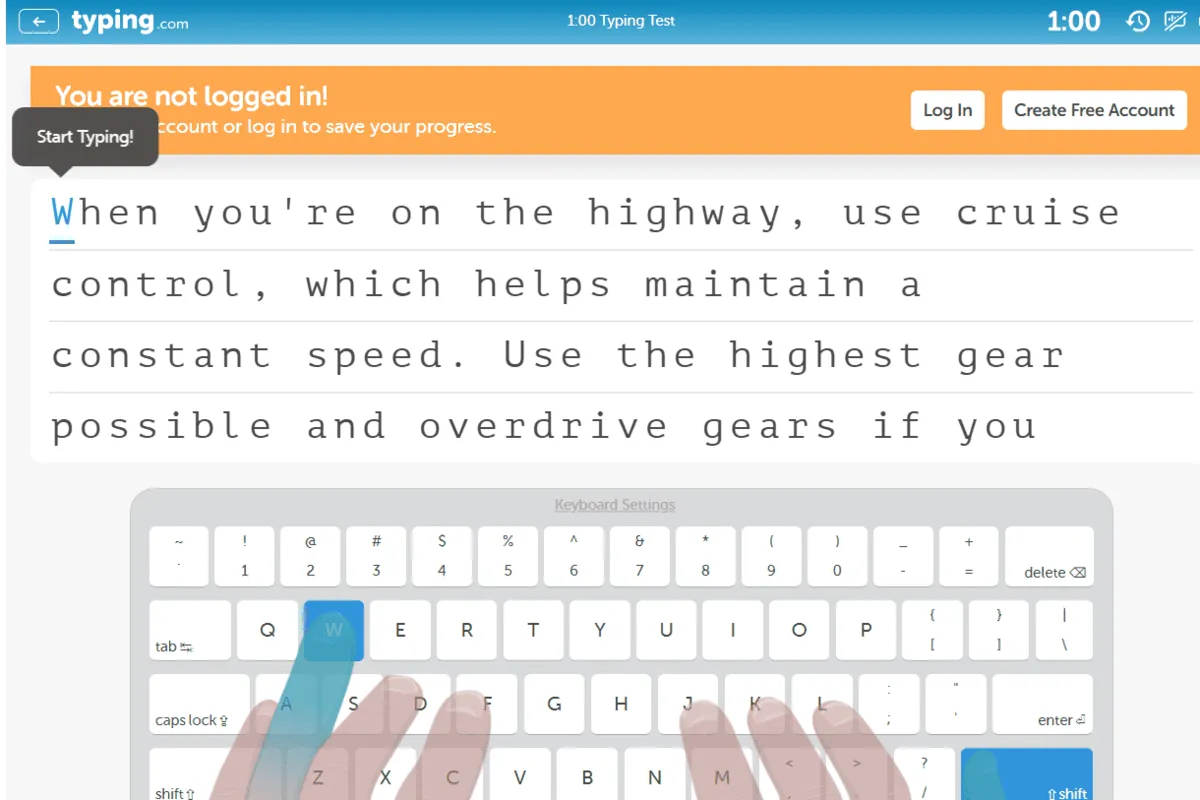
WPM (Words Per Minute) measures how many words you can type in one minute. It's the most common metric for assessing typing speed. However, the definition of "word" varies slightly between different typing tests.
How WPM is Calculated
Most typing tests calculate WPM using this formula:
WPM = (Total Characters Typed - Errors) / 5 / Minutes
The division by 5 standardizes the calculation, as the average English word is approximately 5 characters long.
Example Calculation
If you type 300 characters with 5 errors in 1 minute:
- Correct characters: 300 - 5 = 295
- Words typed: 295 / 5 = 59 WPM
WPM Benchmarks and Skill Levels
| Skill Level | WPM Range | Description | Typical Users |
|---|---|---|---|
| Beginner | 20-40 WPM | Learning touch typing, building muscle memory | New typists, children |
| Intermediate | 40-60 WPM | Competent typing, developing speed | Office workers, students |
| Proficient | 60-80 WPM | Professional standard, efficient typing | Professionals, data entry |
| Advanced | 80-100 WPM | Excellent speed, high proficiency | Experienced professionals |
| Expert | 100+ WPM | Exceptional speed, mastery level | Typing competitors, specialists |
Related Typing Metrics
CPM (Characters Per Minute)
CPM measures the total number of characters typed per minute, including errors. CPM is typically 5 times higher than WPM:
CPM = Total Characters Typed / Minutes
If your WPM is 60, your CPM would be approximately 300 (60 × 5).
Accuracy Rate
Accuracy measures the percentage of correctly typed characters:
Accuracy = (Total Characters - Errors) / Total Characters × 100
Professional standards typically require 95-99% accuracy. High WPM with low accuracy is less valuable than moderate WPM with high accuracy.
Error Rate
Error rate measures mistakes per minute. Professional typing typically allows 1-2 errors per minute at normal speeds.
Interpreting Your WPM Score
Speed vs. Accuracy Balance
Your WPM score should be considered alongside accuracy. A 70 WPM score with 98% accuracy is more valuable than 80 WPM with 90% accuracy. The formula accounts for accuracy, so your reported WPM already reflects error deductions.
Consistency Matters
A single high WPM score doesn't indicate consistent performance. Look at your average WPM over multiple tests. Consistent performance is more important than occasional high scores.
Test Duration Affects Results
Shorter tests (1 minute) often show higher WPM than longer tests (5 minutes). You can maintain peak speed for short periods but may fatigue during extended typing. Your true typing speed is better represented by longer tests.
Professional WPM Requirements by Industry
| Profession | Required WPM | Accuracy Standard |
|---|---|---|
| General Office Work | 40-60 WPM | 95%+ |
| Data Entry | 50-80 WPM | 98%+ |
| Transcription | 60-100 WPM | 99%+ |
| Court Reporting | 200+ WPM | 99.5%+ |
| Competitive Typing | 100-150+ WPM | 95%+ |
Improving Your WPM Score
Focus on Accuracy First
Paradoxically, focusing on speed doesn't improve WPM as effectively as focusing on accuracy. Accurate typing at a slower pace improves WPM more than fast typing with errors.
Practice Consistently
Regular practice is essential for WPM improvement. Dedicate 20-30 minutes daily to typing practice. Most people improve 5-10 WPM per month with consistent practice.
Use Proper Technique
Correct touch typing technique is foundational for WPM improvement. Using proper finger placement and hand position allows for faster, more efficient typing.
Identify Problem Areas
Analyze your typing test results to identify which key combinations or letter patterns cause errors or slow you down. Practice these problem areas specifically.
Increase Difficulty Gradually
Progress from simple to complex typing material. Start with common words and gradually introduce technical vocabulary and punctuation.
WPM Improvement Timeline
| Starting Level | 3 Months | 6 Months | 12 Months |
|---|---|---|---|
| 20 WPM | 35-40 WPM | 50-60 WPM | 70-80 WPM |
| 40 WPM | 50-55 WPM | 65-70 WPM | 85-95 WPM |
| 60 WPM | 70-75 WPM | 80-90 WPM | 100-110 WPM |
Factors Affecting Your WPM Score
Physical Factors
- Fatigue: Tired typists type slower and make more errors
- Posture: Poor posture reduces speed and increases strain
- Hand size: Smaller hands may require different reach strategies
- Keyboard type: Different keyboards affect comfort and speed
Mental Factors
- Concentration: Distractions reduce typing speed
- Stress: Anxiety negatively impacts performance
- Confidence: Familiarity with material improves speed
- Motivation: Engaged typists perform better
Environmental Factors
- Lighting: Proper lighting reduces eye strain
- Temperature: Comfortable temperature improves performance
- Noise: Quiet environments support better focus
- Ergonomics: Proper desk setup is crucial
Setting Realistic WPM Goals
Assess Your Current Level
Take several typing tests to establish your baseline WPM. Use the average of multiple tests as your starting point.
Set Incremental Goals
Rather than aiming for 100 WPM immediately, set incremental goals. If you're at 40 WPM, aim for 50 WPM in 3 months, then 60 WPM in 6 months.
Balance Speed and Accuracy
Set accuracy goals alongside speed goals. Aim for 95%+ accuracy while improving WPM.
Track Progress Regularly
Take typing tests weekly to monitor progress. Regular testing keeps you motivated and helps you adjust your practice strategy.
Conclusion: Understanding Your WPM Score
Your WPM score is a valuable metric for tracking typing progress, but it should be considered alongside accuracy, consistency, and your specific professional requirements. By understanding what your WPM score means, setting realistic goals, and practicing consistently, you can steadily improve your typing performance and achieve your skill development objectives.